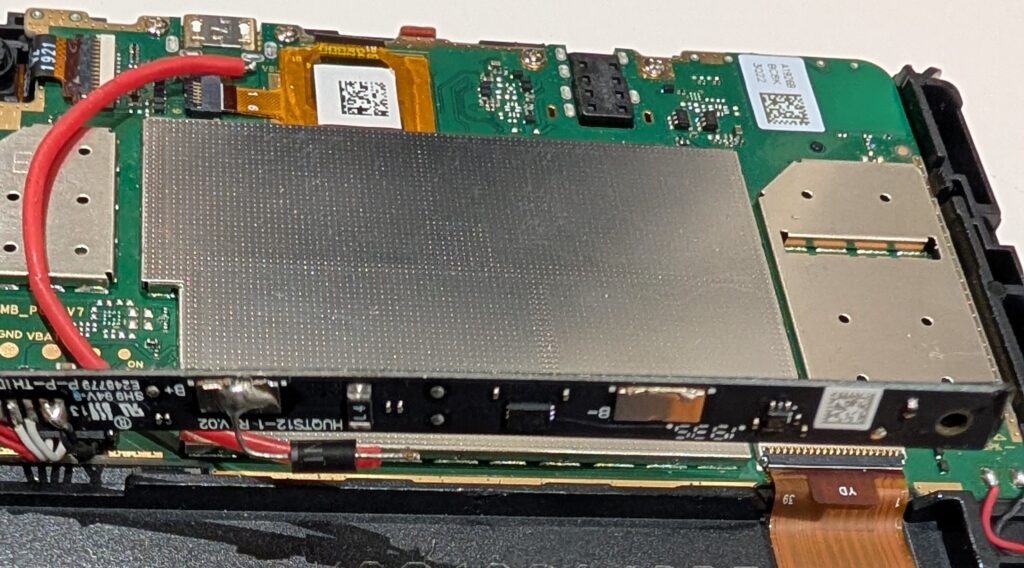
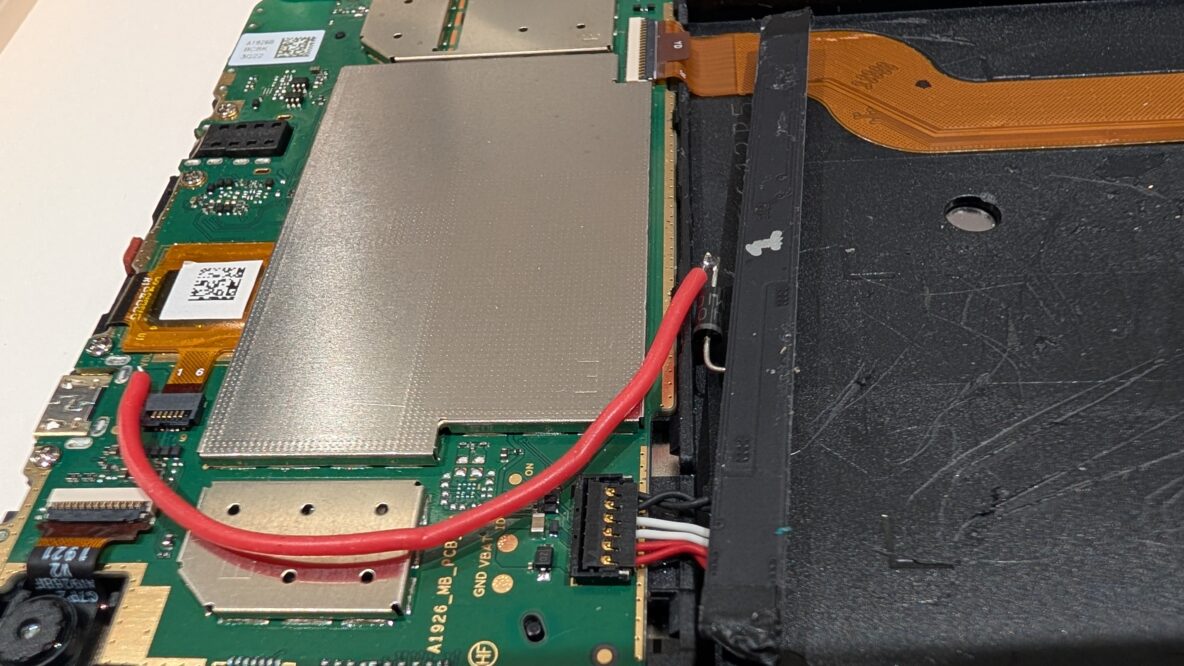
Since 2012 many of the rooms in my house have tablet computers on the walls where light switches would normally be. Initially I used some cheap Chinese Android tablets and disconnected their batteries – simply by desoldering them – to avoid potential issues with swollen LiPo batteries. The tablets worked fine without their batteries and all was well for a few years. However the screens on these cheap tablets died one-by-one and I started to look for a good alternative.
What I discovered is that Amazon Fire 7 tablets – mainly bought in Black Friday sales for $30 or so – were a good replacement and they have better screen brightness (and resolution) and much better overall build quality. I was still a little concerned about the swollen battery problem and tried disconnecting the batteries (by simply unplugging their connector) but the tablets failed to boot. So I searched to see if the swollen battery issue afflicted Fire 7 tablets and, at that time, didn’t come up with anything.
Some of these Fire tablets are now five or more years old and, sadly, the swollen battery issue has started to rear its ugly head. The symptom, in my case, was actually a liquid-like blob on the screen of the tablet and it turned out that this was because the swollen battery was compressing the screen layers and, perhaps, causing the capacitive-touch layer to squash against the screen.
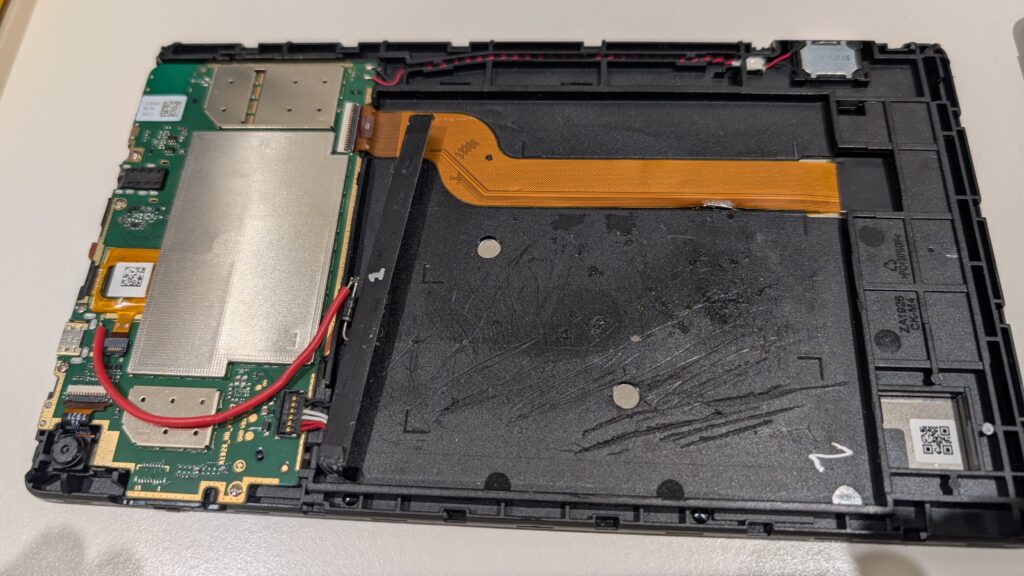
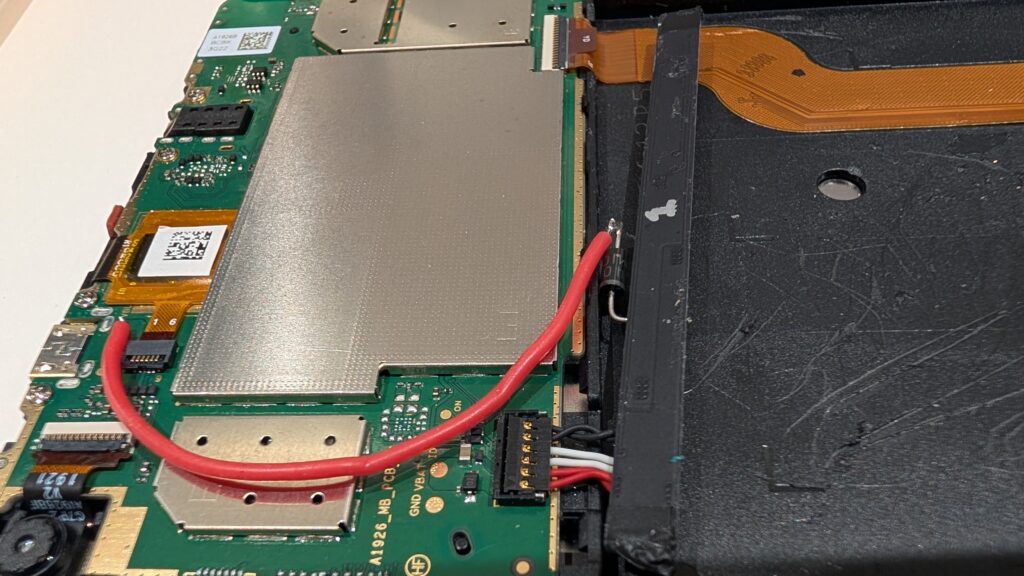
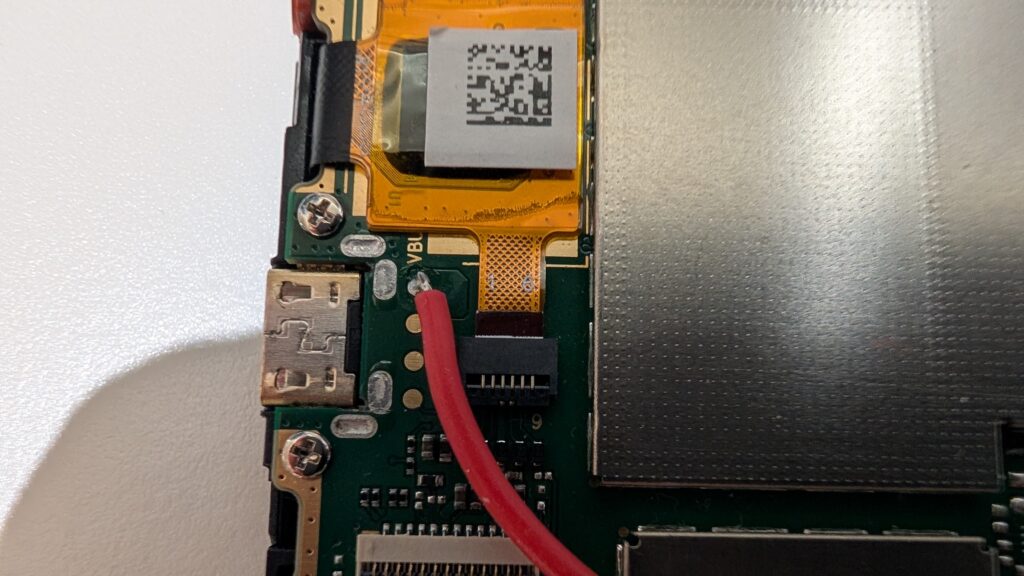
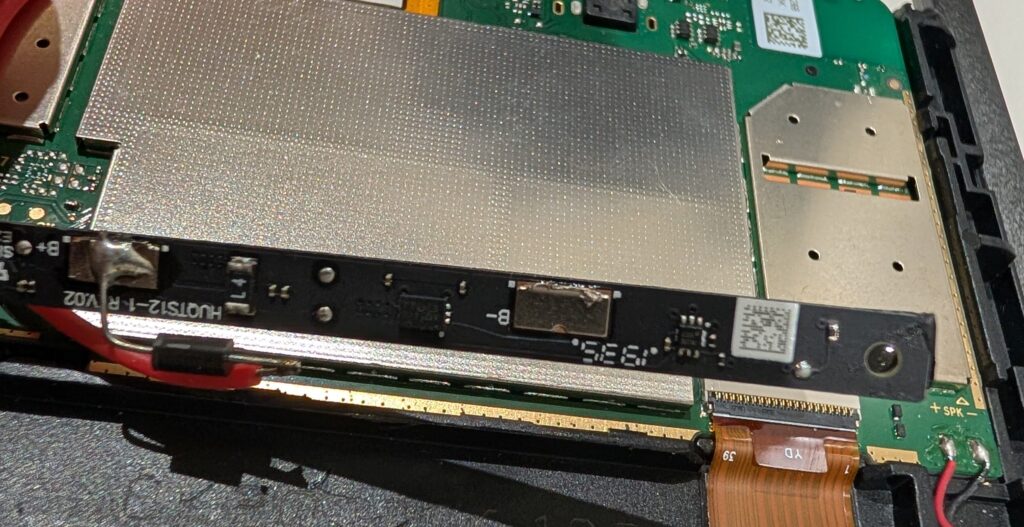
This has caused me to revisit the problem of getting the Fire 7 tablet to boot without a battery. I found a YouTube video by GreatScott which addresses the issue for a Samsung phone. His approach is to remove the battery management PCB from the LiPo battery and use a silicon junction diode to emulate a battery voltage by dropping the USB 5V supply to around 4.2V (the forward-voltage drop of the diode is in the 0.6-1V range for most normal currents and 4.2V happens to be the appoximate voltage level of a fully charged LiPo battery).
I took this idea and adapted it to the Amazon Fire 7 tablet as shown in the steps below. The main issue I found was in removing the battery as all of mine were glued firmly in the case. So instead, after the first attempt, I took to simply disconnecting the battery and leaving it there. It will no doubt discharge over time but hopefully nothing too bad will leak out!